Common Address Edge Cases That Break Forms
Address forms look simple until real users start filling them in. A checkout flow that works perfectly in testing can fall apart the moment someone enters a rural route, a military base address, or a street name with an accent. The bugs that surface are often silent ones: the form accepts the input, the order goes through, and a package ends up in the wrong hands or never ships at all.
The cases below cover the most common failure points, what each bug typically looks like in practice, and how to exercise the problem using synthetic test data.
At a Glance
- Eight edge cases account for most silent address-form failures: unit lines, PO boxes, long street names, non-ASCII characters, missing/nonstandard postal codes, rural routes, military APO/FPO/DPO addresses, and addresses with no street number.
- Most validation logic is written against a US happy path (house number, street, city, two-letter state, five-digit ZIP); anything that deviates hits an untested branch, not a deliberately rejected one.
- Some countries have no postal code at all (Hong Kong) and others use formats nothing like a US ZIP: Ireland's Eircode is seven characters with a routing key, Japan's is a 7-digit
NNN-NNNNformat per Postal codes in Japan. A regex hardcoded to\d\d\d\d\dfails all of them. - The authoritative reference for US-specific formatting, secondary unit designators, and address abbreviations is USPS Publication 28, which is worth building synthetic fixtures from directly rather than guessing.
- Build one test fixture per edge case below and run it through every address input in your product, not just the primary checkout form.
The Edge Case Summary Table
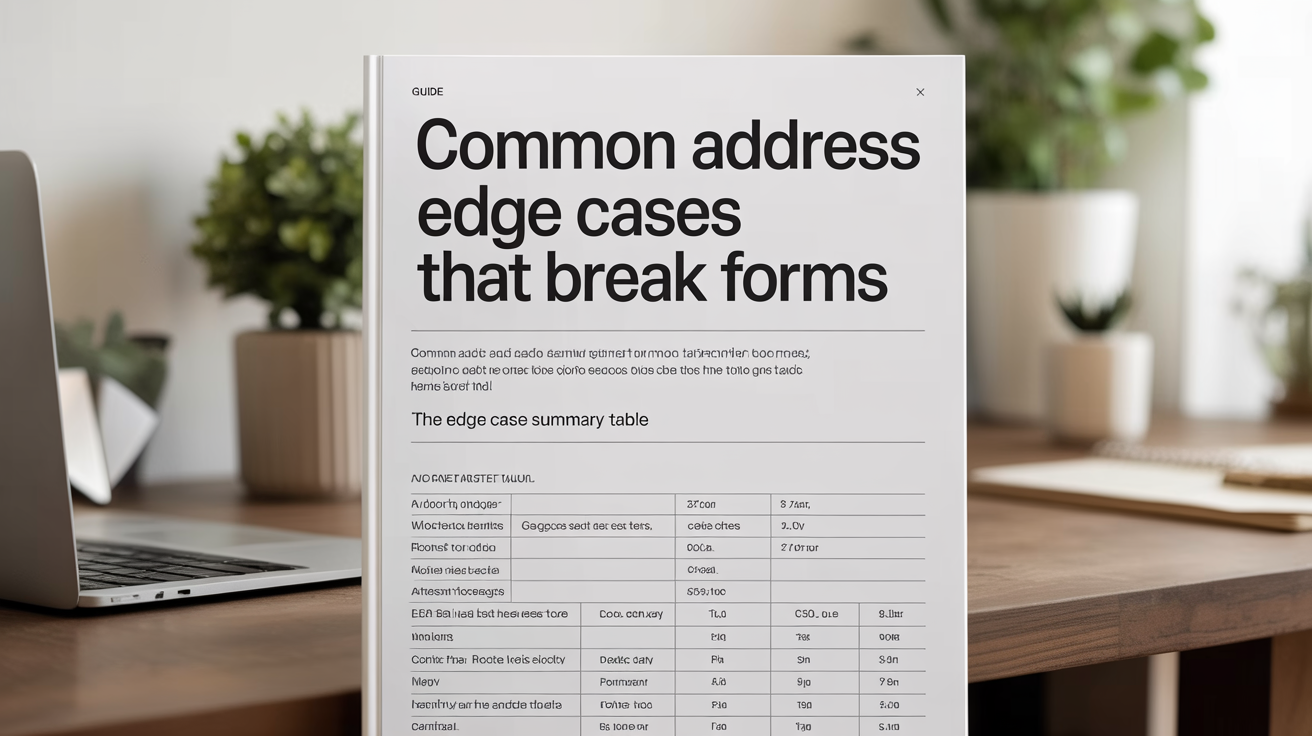
Before going deep on each scenario, here is a quick reference:
| Edge Case | Common Failure Mode |
|---|---|
| Apartment / unit on line 1 | Unit number stripped or merged with street name |
| PO Box | Rejected by shipping carriers that require physical addresses |
| Long street name | Truncated in database or UI, breaking delivery |
| Non-ASCII characters | Stored as ? or rejected outright by ASCII-only validators |
| Missing ZIP / postal code | Form blocks submission for countries that don't use postal codes |
| Rural routes | Geocoding returns null; validation rejects non-numeric street |
| Military APO / FPO / DPO | State dropdown has no "AE", "AP", or "AA" option |
| No street number | Parser assumes first token is always a number |
Fix priority by frequency
Not every edge case is equally worth fixing first. If your form only serves one country, deprioritize accordingly, but this rough ordering holds for most general-purpose forms:
| Priority | Edge Case | Why It Ranks Here |
|---|---|---|
| High | Unit/apartment handling | Affects a large share of urban addresses in every country |
| High | Missing/nonstandard postal code | Blocks entire countries (Hong Kong, Ireland pre-2015) outright |
| Medium | Long street names | Rare but causes silent, undetected truncation |
| Medium | Non-ASCII characters | Common outside English-speaking markets; often "works" until it doesn't |
| Lower | Rural routes, military addresses, no street number | Smaller share of volume, but each is a hard fail for the users it affects |
Apartment and Unit Lines
Many address inputs give users a single "Address Line 1" field and a faint "Apt, suite, unit" placeholder. Two problems follow. First, users paste their full address into line 1 ("123 Main St Apt 4B"), which the parser may read the entire string as the street name. Second, when the form does provide a separate unit field, back-end code sometimes concatenates the fields in the wrong order, or drops the unit field entirely when passing data downstream.
Test this by generating addresses that place the unit designation in different positions: Apt 4B, 123 Main St, 123 Main St #4B, and 123 Main St Suite 400. Run each variant through your form and check what lands in the database. USPS Publication 28 lists the full set of secondary unit designators (APT, STE, UNIT, BLDG, FL, RM) that a US-facing parser should recognize; using that table to build your fixtures catches format variations you'd otherwise miss by improvising. The generate-realistic-test-addresses-for-forms guide has ready-made synthetic records covering each format.
PO Boxes
A PO Box is a fully valid postal address in the United States and many other countries. The USPS delivers to them. Banks mail statements to them. But many e-commerce checkout flows block them at the input level because shipping carriers like UPS and FedEx generally refuse to deliver to post office boxes.
The failure mode here is a validation message that says something unhelpful like "Address not found" rather than "This carrier requires a physical address." Users interpret the error as a typo on their part and re-enter the same thing several times before giving up.
Synthetic test values: PO Box 1234, Springfield, IL 62701 and P.O. Box 9, Rural Town, TX 79001. Confirm your error messaging distinguishes between "invalid address" and "carrier restriction." Some post offices also support a carrier-side street-addressing exception for PO boxes, worth accounting for if your calculator hard-blocks every PO box from private-carrier delivery without exception.
Unusually Long Street Names
Database columns and API payloads often enforce character limits that developers set based on average street names, not the longest ones. "Martin Luther King Junior Boulevard" is 39 characters. "Northeast Pennsylvania Expressway Service Road" pushes 46. Some states have roads whose full legal names exceed 60 characters.
A truncated address at 30 characters becomes "Martin Luther King Junior Boul", which delivers nowhere. The truncation may happen silently: no error, no warning, just a quietly broken record. Check your address_line_1 column length and test with a synthetic 50-character street name. As a rule of thumb, size the column for at least 60 characters if you serve US addresses broadly; USPS Publication 28's address-line standards assume abbreviation only where a standard suffix exists, not arbitrary truncation, so a validator that silently cuts a name off is diverging from the standard your users' mail carrier is actually following.
Non-ASCII Characters and Diacritics
Street names in the United States include accented characters more often than most developers expect. "Résumé Avenue" is contrived, but "Calle de la Niña," "Peña Boulevard," and "St. François Street" are real-world examples. Outside the US, addresses in French Canada, Spain, Germany, and dozens of other regions depend on diacritics for correct routing.
ASCII-only validation strips these characters or replaces them with ?. An address stored as Pe?a Boulevard does not match the street sign, and a mail carrier relying on that printed label will not find it. Test with synthetic addresses containing ñ, é, ü, ø, and ç. See what-makes-an-address-valid for a breakdown of which character sets different postal systems accept.
Missing ZIP Codes and Country-Specific Postal Formats
ZIP code fields are often marked required with a regex like \d\d\d\d\d baked in. That breaks three ways immediately. Ireland overhauled its postal system in 2015 (the Eircode program actually launched in April 2014, with notification letters reaching all 2.2 million addresses by mid-2015), and Eircode uses a seven-character format like D02 AF30, not five digits, where the first three characters are a routing key for one of 139 geographic districts and the last four are effectively unique per address. Hong Kong has no postal code system at all, a fact confirmed directly by Hongkong Post's own history, despite the idea having been under consideration since 2000. Japan's postal codes use a seven-digit NNN-NNNN format, three digits, a hyphen, then four more, where the first two digits identify the prefecture.
A form that demands a five-digit numeric ZIP will block every Irish, Hong Kong, and Japanese user who fills it in honestly. Test this by generating addresses from countries with non-standard or absent postal codes. The address-format-by-country reference lists the correct format (or absence) for over 40 countries.
Rural Routes
Rural route addresses look like RR 2 Box 45, Smalltown, KS 67001. They have no street number in the conventional sense, and some geocoding APIs return null for them because there is no latitude/longitude tied to a box number. Validation logic that checks for a leading digit will reject RR 2 Box 45 as malformed.
For testing, generate a set of rural route synthetic addresses and run them through your geocoder. If the response is null, verify that your system fails gracefully rather than accepting a bad record or throwing an uncaught exception.
Military APO, FPO, and DPO Addresses
Military and diplomatic overseas mail routes through Army Post Office (APO), Fleet Post Office (FPO), or Diplomatic Post Office (DPO) addresses. Army and Air Force posts use APO; Navy, Marine Corps, and Coast Guard use FPO; USPS added DPO as a valid designation for diplomatic posts in 2009. All three use AE (Europe), AP (Pacific), or AA (Americas) as the state code, and a ZIP code that routes through a US military distribution hub.
The failure mode is almost always the state dropdown. If "AE" is not in the list, the user cannot complete the form. ZIP code validation may also reject a military ZIP like 09021 if the validator checks whether the ZIP maps to a geographic US location. A second, less obvious failure mode: forms that recognize "APO" but not "FPO" or "DPO" as a valid city value will pass Army and Air Force addresses while silently rejecting Navy and diplomatic ones. Generate synthetic test addresses for all three: Unit 2050 Box 4190, APO AE 09021, PSC 3 Box 4120, FPO AP 96522, and Bag 12, DPO AE 09724.
Addresses With No Street Number
Some properties genuinely have no street number. Rural farmhouses on named roads, certain Native American reservation addresses, and corner-lot businesses described only by intersection ("Corner of Oak and Vine, Portland, OR") all omit the leading digit. Parsers that assume the first token is always numeric will either reject these or misidentify the street name.
Test with Unnamed Rd, Unincorporated, MT 59001 or Corner Oak and Vine, Portland, OR 97201. Confirm your parser handles a missing number without crashing, and that your error message is specific enough to be actionable.
Frequently asked questions
Why do address forms fail on valid inputs instead of just flagging them?
Most validation logic is written against the happy path: a US address with a house number, a standard street name, a city, a two-letter state abbreviation, and a five-digit ZIP. Inputs that deviate from that pattern hit conditions the developer never tested. The form rejects valid data because the validator was never told that APO AE is a legal state/territory code.
How do I generate synthetic addresses for these edge cases?
The generate-realistic-test-addresses-for-forms guide covers building a test set. For military, rural, and international variants specifically, the fastest approach is to use a synthetic address generator that lets you specify format and country, then verify the generated addresses are structurally correct without being real people's personal information.
Is it safe to use real addresses pulled from public records for testing?
No. Even if the data is technically public, using real people's home addresses in test environments creates privacy and compliance exposure. Synthetic addresses give you the same structural diversity without attaching real individuals to your test data. That distinction matters under GDPR, CCPA, and most internal data-handling policies.
What is the best way to catch these bugs before launch?
Build a test matrix with at least one address from each category in this article. Run the matrix against every address input in your product: checkout, profile, shipping calculator, and any API endpoint that accepts an address. Automated form testing tools can replay the matrix on each deploy so regressions surface immediately rather than in a user complaint.
Should I hardcode a list of countries that lack postal codes, or detect it dynamically?
Hardcode a maintained list and revisit it periodically rather than trying to infer it from input. Hong Kong is the clearest example of a country with no postal code system at all, so a required-postal-code rule needs an explicit exception rather than a "make the field optional if it looks empty" workaround, which tends to accept malformed input from countries that do require a code.